
30 October 2026 · 6 min read
My Claude Code pyramid: one lead, role agents, mission agents
One lead, one AI per role, and AIs for a single mission: I only talk to the first one. Here is the diagram, what I measured (and what I didn’t), and a prompt that sets up a simple version of this pyramid in a Claude Code project.
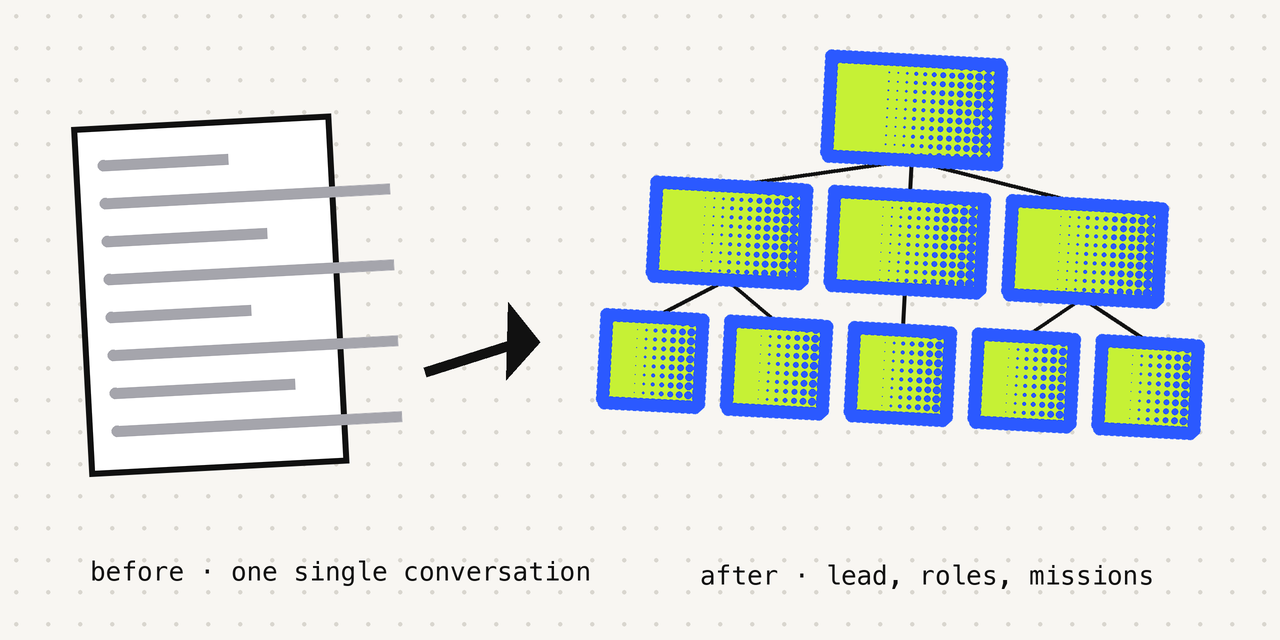
The three tiers
You only talk to the AI at the top. The others work for it.
1 · the lead
The session you type in. It keeps the big picture: who is working on what, what is done, what is waiting for a decision from you. It hands out the work and does not do the long jobs itself.
2 · one AI per role
Sales, app, social media, paperwork… Each has its own job description, its own rules and a status file (STATUS.md) that it reads when it starts and updates when it finishes. In the prompt, these are Claude Code sub-agents.
3 · single-mission AIs
Each one is created for a single task (a report, a check, a fix), delivers it, writes down its trace, then stops. Archived, not deleted: the trace stays in a folder.
Who talks to whom
You → the lead
A direction, a decision or a question. Nothing else: you don’t talk to the roles.
The lead → the roles, and the missions
The lead hands each piece to the AI with the right role and launches the missions itself (that works in every version of Claude Code).
And the other way round
An AI that gets stuck asks the one that launched it, not you. When it is done, it sends one report of 5 lines at most, then stops. The lead reads only those reports and answers you just as short.
This is how I work, written into the prompt: Claude Code doesn’t require any of it.
The prompt
Paste it into Claude Code, in a project folder (terminal, or Claude app, Code tab). It only writes in that folder and deletes nothing. Claude will ask you to allow what it writes: read it, then allow it.
Install "the pyramid" in my current folder: one LEAD (this session) that talks with me and splits the work, ROLES (one sub-agent per area, with its own rules and its own STATUS.md) and MISSIONS (one sub-agent per task, which delivers, archives its trace and stops). Plus a relay: when a session gets too heavy, it writes its notes into a handoff, restarts from zero and reads them back. An automatic summary loses detail; written notes don't.

Do all the steps yourself, in order. If a step fails, stop and tell me why.

Rules for the whole install:
- Write only in the current folder: nothing in my home folder or in ~/.claude, no global setting changed.
- Install nothing, no internet, no MCP server.
- Delete and overwrite nothing. If CLAUDE.md exists, add your section at the end. If .claude/settings.json exists, merge into it. Any other file already there: leave it alone and tell me. Show me any text added to an existing file.
- Never a secret (key, password, token) in these files.
- Already installed (a "## Pyramid" section in CLAUDE.md, or a hook group that contains STATUS.md): do not add it a second time, tell me.

0. Print the current folder. If it is my home folder (~) or the root /, stop and tell me to restart Claude Code in a project folder. Otherwise list what exists (CLAUDE.md, .claude/, STATUS.md, roles/, missions/, handoffs/) without changing anything.

1. Ask me ONE question only: "What are your 2 to 4 areas of work, a few words each?" Wait for my answer before creating anything. If there is no clear answer (nothing, "default", I don't know): product, communication, admin. More than 4: keep the first 4. For each, a short lowercase <name>, with no accent and no space.

2. Add at the end of CLAUDE.md (or create it):

## Pyramid
The LEAD is the main session: it talks with me, splits the work and does not do the long work itself. The ROLES are sub-agents (.claude/agents/): <name> (role in one line), etc. MISSIONS go through the "mission" sub-agent: one task, one deliverable, then stop. A role or a mission follows its own agent file. Rules for everyone:
1. The lead delegates the long work and launches the missions itself.
2. Reports of 5 lines at most: the lead follows delegated work through these reports, not through the details. A mission sends only one, at the end.
3. At the end of the work, update your own STATUS.md (the lead: the root one; a role: roles/<name>/STATUS.md; 15 lines at most: Done, In progress, Next step, Key files).
4. Never invent a fact, above all in a STATUS.md or a handoff. "I don't know" is allowed.
5. Never a secret (key, password, token) in a file.
6. Long session, or one that is losing details: suggest /relay to me.

3. In .claude/agents/, one <name>.md per role. The description comes from my words only, nothing invented ("to be specified" if I said nothing); front matter values in quotes, so the YAML stays valid:
---
name: <name>
description: "Role <name>: <what I do in this area>. For any work in this area."
tools: Read, Write, Edit, Glob, Grep, Bash
model: sonnet
---
Body of 10 lines at most: role in one sentence; first read roles/<name>/STATUS.md, then handoffs/<name>.md if it exists; stay within its area; no secret and no invented fact; at the end of the work, update its STATUS.md; finish with a report of 5 lines at most (done, deliverable and path, blocker, next step).
Plus mission.md: same front matter, with name: mission and description: "One-off mission: one brief, one deliverable, then stop." Body: a single mission, nothing more; no secret and no invented fact; write its trace to missions/archive/YYYY-MM-DD-<short-name>.md (today's date from `date +%F`; brief, what was done, deliverable and path, what is left; if the file already exists, change the short name); never edit or delete an archive; a single report of 5 lines at most, then stop.

4. Create roles/<name>/STATUS.md for each role, and STATUS.md at the root (if it already exists: leave it as it is and tell me), with this template:
# STATUS: <folder name, or role>
Updated: YYYY-MM-DD
## Done
-
## In progress
-
## Next step
-
## Key files
-
At the root (if you create it), under "Done", only: pyramid installed on <date>. Also create the empty folders missions/archive/ and handoffs/.

5. In .claude/commands/ (front matter, values in quotes: description, plus argument-hint if there is an argument):
- relay.md: role = $ARGUMENTS (one lowercase word, no space or /), or "lead" if empty. Write handoffs/<role>.md in 40 lines at most: where I am, decisions made, pitfalls, a precise next step, files to re-read. Rewrite the file keeping what is still true; verified facts only, otherwise "to check". Then tell me: "Type /clear: I will read this handoff back on restart."
- catchup.md: read STATUS.md, the roles/*/STATUS.md and handoffs/lead.md (say if there are other handoffs in handoffs/). Answer in 5 lines at most: where we stand, what is blocking, next step. Missing info: say so.
- mission.md: launch the mission sub-agent with the brief $ARGUMENTS (empty or vague: ask me a single question first), then relay its report in 5 lines at most and update the root STATUS.md if needed.

6. In .claude/settings.json, add this group to hooks.SessionStart (keep everything that exists, create the missing keys):
{"hooks": {"SessionStart": [{"matcher": "startup|clear|compact", "hooks": [{"type": "command", "timeout": 10,
"command": "cd \"${CLAUDE_PROJECT_DIR:-.}\" || exit 0; if [ -f STATUS.md ]; then echo '--- STATUS.md ---'; head -n 20 STATUS.md; fi; if [ -f handoffs/lead.md ]; then echo \"--- Lead handoff (a role ignores it) ---\"; head -n 60 handoffs/lead.md; fi; exit 0"}]}]}}
It only reads back the lead's handoff (handoffs/lead.md); a role reads its own through its agent file. Its output goes into your context at startup, after /clear and after an automatic summary.

7. Check: list the files created or modified; the JSON of .claude/settings.json is valid (re-read it, without installing any tool); each agent starts with a front matter between two --- lines with name (equal to the file name), description, tools and model; run the hook command once with sh -c, without creating any temporary file outside the folder, it must print STATUS.md without error. Fix what is missing.

8. Conclusion for me, 8 lines at most:
- what was created;
- quit and restart Claude Code in this folder to load agents, commands and hook;
- the 3 phrases: /catchup (where we stand), /mission <brief> (a one-off task), and /relay then /clear when a session gets heavy (the lead reads its own handoff back);
- a session dedicated to a role: claude --agent <name> in another terminal, then /relay <name>;
- in one sentence, what it does not do: no side-by-side view of several sessions, no automatic relay (I type /relay then /clear myself), no session archiving in an app; roles and missions are sub-agents.
The relay: start again from zero without losing anything
A very long conversation ends up being summarised automatically, and a summary loses detail. The relay replaces that summary with written notes.
The problem, measured on my setup
On the evening of 27 Oct, between 7 pm and 11 pm, my sessions summarised their conversation 80 times (76 automatic summaries and 4 manual ones). My « lead » session alone: 43 summaries that day, one every 2.4 minutes (median).
The rule
When an AI gets full, it writes its notes to a file (a « handoff »: where I am, decisions, pitfalls, next step, files to re-read), then starts again from an empty conversation and reads those notes.
In the prompt
You type /relay when the session gets heavy, then /clear. A small startup hook then puts STATUS.md and the lead’s handoff back into the new conversation.
One STATUS.md per project
15 lines at most: Done, In progress, Next step, Key files. It is what each AI reads when it arrives, instead of re-exploring the whole project.
« A summary loses detail » is a principle, not something I measured. On my setup the relay ran on 6 real sessions on 28 and 29 Oct; I haven’t measured what it saves.
My numbers, with their caveats
On every message, Claude re-reads the whole conversation: that is the “context”. Here is what I measured on that, and only that.
÷3: tokens re-read on every message
On my main sessions: 557,000 to 589,000 tokens re-read on average on each call from 20 to 26 Oct, against 187,500 on 28 Oct and 185,000 on 29 Oct. About ÷3.
What it doesn’t say
It is not ÷3 on my bill or on my limit: my weekly-limit use went down by a quarter at most over the same period. And it isn’t the pyramid alone: on 27 and 28 Oct I also slimmed down a CLAUDE.md file (from 208 KB to 18 KB), changed the auto-summary setting and updated Claude Code. I don’t know which of these changes does what.
What I haven’t measured
Sub-agents aren’t counted. I don’t know whether the pyramid uses less or more of my limit: I’m still measuring.
What needs the desktop app
What the prompt sets up: Claude Code alone
The lead, the roles and the missions as sub-agents, STATUS.md, the /catchup, /mission and /relay commands, and the startup hook. It works in the terminal and in the Claude app (Code tab).
What I do on top, and the prompt doesn’t set up
On my setup, each role is a real session, a conversation of its own. I see them side by side, pin them, archive the ones that are done: that is the Claude desktop app (Code tab). And the relay triggers by itself thanks to a small Mac app made for me, which isn’t public. With the prompt, you type /relay then /clear yourself.
What Claude does for you
- 1.Asks you a single question: your 2 to 4 areas of work.
- 2.Adds a « Pyramid » section at the end of CLAUDE.md (or creates the file), then creates one sub-agent per role and a « mission » sub-agent in .claude/agents/.
- 3.Creates STATUS.md at the root and one per role, then the missions/archive/ and handoffs/ folders.
- 4.Creates the /catchup, /mission and /relay commands in .claude/commands/.
- 5.Adds the startup hook to .claude/settings.json, checks that the JSON is valid and runs the command once.
What’s left for you
1.Open Claude Code in a project folder
Not in your home folder: the prompt refuses. In the terminal, or in the Claude app (Code tab).
cd my-project
claude
2.Paste the prompt and answer the question
Your 2 to 4 areas, a few words each. If you answer « default », it uses product, communication, admin.
3.Quit, then restart Claude Code in that folder
Claude Code loads the agents, the commands and the hook at startup.
4.Use the three commands
/catchup tells you where things stand. /mission launches a one-off task. When the session gets full, /relay then /clear: the lead reads its own handoff back.
/catchup
/mission check the links on my home page
/relay
Frequently asked questions
How much does it cost?+
The prompt is free. Claude Code needs a paid Claude plan (Pro at least), and every AI it launches uses some of your usage limit.
Does it use less of my limit?+
I don’t know. I measured ÷3 on the tokens re-read on every message, but nothing proven on the limit, and sub-agents aren’t counted. Several AIs may even use more in total.
Can I try it safely?+
The prompt only writes in the folder where you start Claude: nothing in your home folder or in ~/.claude, nothing deleted or overwritten. An existing CLAUDE.md or settings.json is added to, and Claude shows you the text it adds. Try it in a test folder first.
What is this startup hook?+
A few-line command that Claude Code runs when each session starts in that folder: it prints STATUS.md and the lead’s handoff. It is written in .claude/settings.json: read it, and /hooks shows it inside Claude Code. To remove it, delete that group.
Which handoff does the hook read back?+
Only the lead’s (handoffs/lead.md). A role reads its own because its agent file tells it to read it first, not through the hook: I haven’t tested that case in Claude Code. After an automatic summary, an old lead handoff may be read again: remove “|compact” from the hook if that gets in the way.
Is it tested?+
On 29 October 2026, by AIs playing Claude Code: once in an empty folder, once in a folder that already had a CLAUDE.md and a settings.json (nothing was overwritten, the JSON stayed valid, the hook command printed the right text), once on the English version. Those runs led to fixes in the prompt: description format, a hook that read back the wrong handoff, ambiguous rules. I have not checked how Claude Code itself actually loads the agents, the commands and the hook: that is why I say to try it in a test folder.
Which computer?+
The hook goes through “sh”: macOS and Linux. I haven’t tested it on Windows.
I don’t see /relay after the install.+
Quit and restart Claude Code in that folder: the agents, the commands and the hook load at startup.
Why sub-agents and not separate sessions?+
A sub-agent launches from one sentence and works everywhere. For a real session dedicated to one role, run “claude --agent <name>” in another terminal.
A question? Write to me on Instagram, @sachaprljk.